
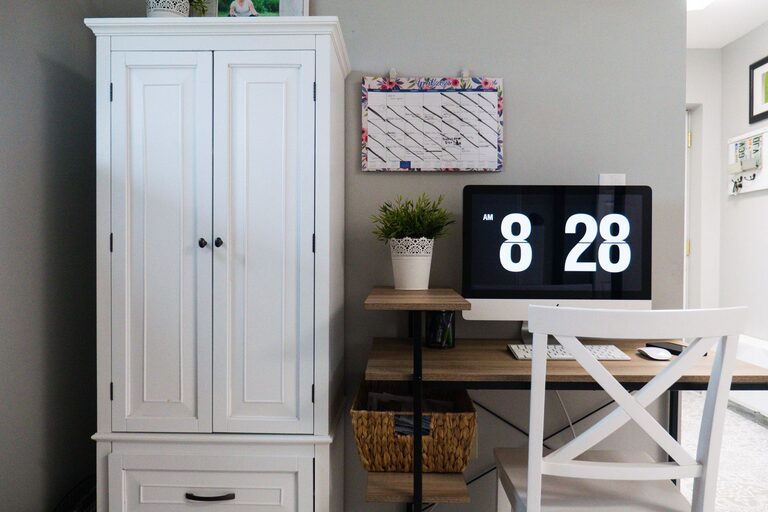
A family command center is a central place for managing the information and items your household uses every day. It can help everyone keep track of schedules, school activities, appointments, shopping lists, chores, and important reminders.
The best command center does not need to be large or expensive. A small wall, kitchen corner, entryway shelf, or section of a home office can work well. The goal is to create a system that is easy to see, easy to use, and simple to maintain.
Choose the Right Location
Start by choosing a location that your family naturally passes through each day. Common options include:
– A kitchen wall
– A hallway near the entryway
– A mudroom
– A home office
– A section of the pantry
– A wall beside the garage door
The location should be convenient without creating extra clutter. Avoid placing the command center somewhere that is difficult to reach or easy to overlook.
Consider how your family enters and leaves the home. If backpacks, keys, and mail tend to pile up near the front door, an entryway command center may be most useful. If the family gathers in the kitchen, a kitchen wall may make it easier to review schedules during breakfast or dinner.
Before installing anything, observe how the space is used for a few days. This can help you choose a location that fits your household’s actual habits.
Decide What Your Family Needs
Every household has different organizational needs. Make a list of the information and items you want to manage before buying supplies.
Your command center might include:
– A shared family calendar
– A weekly meal plan
– A grocery list
– A chore chart
– A place for school papers
– A mail organizer
– Hooks for keys or bags
– A whiteboard for reminders
– A charging station
– A small basket for items that need to leave the house
You do not need to include everything at once. Begin with the items that solve your biggest daily problems. If missed appointments are the main issue, start with a calendar. If papers and mail create clutter, focus on file holders and sorting trays.
A simple system that your family uses consistently is more effective than a large system with too many parts.
Select the Main Components
Family Calendar
A shared calendar is often the most important part of a command center. Use it to record school events, work schedules, appointments, sports, birthdays, trips, and other commitments.
A paper calendar works well when placed in a visible location. Use a different color for each family member if that makes the schedule easier to read. You can also use a monthly calendar for long-term planning and a small weekly board for immediate activities.
If your family uses a digital calendar, consider displaying a printed weekly schedule or adding a small dry-erase board for updates. The best format is the one that everyone can check and understand quickly.
Whiteboard or Chalkboard
A whiteboard is useful for short-term information that changes often. You can use it for:
– Today’s activities
– Pickup and drop-off details
– Important reminders
– Items needed for school
– Quick notes for family members
Keep the writing area simple. Too many notes can make the board difficult to read. Set aside a few minutes each week to erase old information and prepare the board for the coming days.
Paper Organizers
Paper can quickly overwhelm a command center, so give it a clear system. Use labeled folders, wall pockets, or trays for categories such as:
– To sign
– To return
– To file
– School information
– Coupons and receipts
Try to limit the number of categories. If there are too many folders, family members may not know where to place items. A simple “action needed” folder and a “keep” folder may be enough for many homes.
Set a regular time to sort papers. This could be once a week or whenever the organizer begins to fill up.
Hooks, Baskets, and Trays
Hooks can hold keys, reusable bags, backpacks, hats, or jackets. Baskets and trays are useful for smaller items that need a temporary home.
Label spaces for each family member when possible. Personal labels make it easier for everyone to return items to the correct place. Choose containers that are large enough to be useful but not so large that they encourage overfilling.
Create a Meal Planning Area
Meal planning can save time and make grocery shopping easier. Add a weekly meal plan to your command center, either with a printed template or a dry-erase board.
Include space for:
– Breakfast ideas
– Lunch plans
– Dinner plans
– Snacks
– Grocery items
Keep the meal plan flexible. You might plan specific meals for busy evenings and leave one or two days open for leftovers or simple options.
Place the grocery list nearby so family members can add items as they notice they are running low. A magnetic notepad, small whiteboard, or shared digital list can all work well.
Add a Chore and Routine System
A command center can help children and adults understand household responsibilities. Create a chore chart that matches your family’s age, schedule, and abilities.
A chore chart might include:
– Daily tasks
– Weekly tasks
– Assigned family members
– A checkbox for completion
Keep tasks specific and easy to understand. “Clean the kitchen” may feel unclear, while “Load the dishwasher” or “Wipe the table” gives a clear action.
You can also add morning and evening routine checklists. These may include getting dressed, packing a bag, brushing teeth, preparing clothes, or checking the next day’s schedule.
Keep the Design Simple
A command center should support your household rather than become another project to manage. Use a limited number of colors, labels, and materials so the area remains easy to understand.
When choosing supplies, consider:
– Visibility
– Durability
– Ease of cleaning
– Available wall space
– The height of family members
– Whether children can use the system independently
Avoid placing important information behind closed doors unless it needs to be private. Visible systems are more likely to be used regularly.
At the same time, keep personal information secure. Avoid displaying sensitive details where visitors can easily see them, and use a private location for documents that contain personal information.
Establish a Weekly Reset
Even the best command center will stop working if it is not maintained. Set a regular reset time, such as Sunday evening or Monday morning.
During the reset:
- Remove outdated notes.
- Review the coming week’s calendar.
- Add new appointments and activities.
- Sort papers and mail.
- Update the meal plan.
- Check the grocery list.
- Return misplaced items to their assigned spaces.
- Restock paper, markers, or other supplies.
Invite the whole family to participate. A short weekly review can help everyone understand what is coming up and what needs to be done.
Start Small and Adjust
Your first version does not have to be perfect. Begin with a calendar, a whiteboard, and one storage solution. Use the system for a few weeks and notice what works and what does not.
You may discover that the grocery list needs to be closer to the kitchen, the calendar needs larger writing space, or the paper organizer needs fewer categories. Make adjustments based on your family’s real routines.
A successful family command center is not defined by its appearance. It is defined by whether it helps your household find information, remember responsibilities, and move through the day with less confusion. Keep the system visible, practical, and easy to update, and it can become a helpful part of your family’s daily routine.
