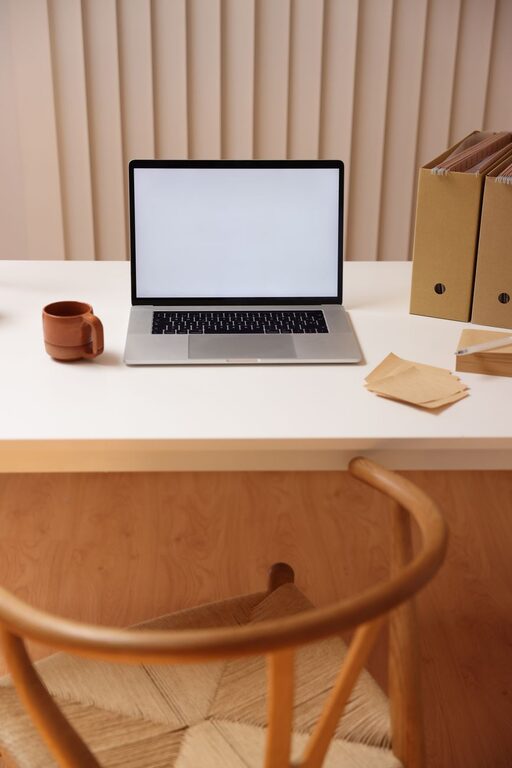
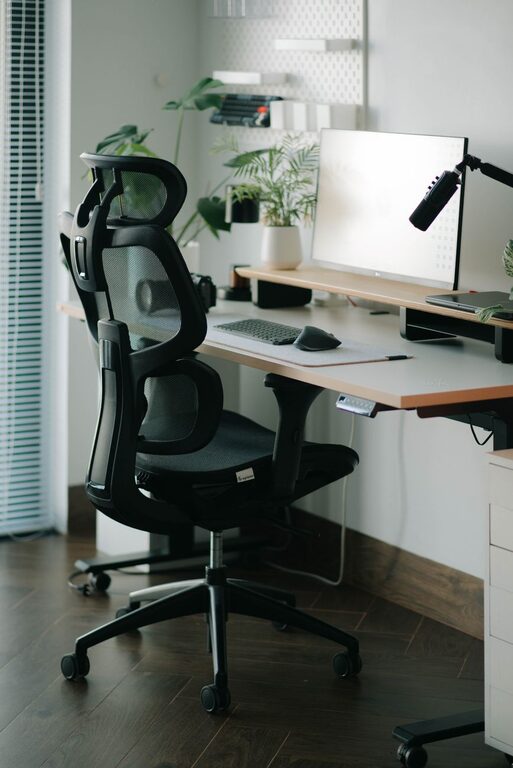
A well-planned desk setup can make work feel easier and more enjoyable. Your workspace does not need to be expensive or perfectly styled. It simply needs to support the way you work, reduce unnecessary distractions, and help you stay comfortable throughout the day.
Small changes can have a noticeable effect. Adjusting your screen height, improving your lighting, or clearing unused items from your desk may help you feel more focused and organized. Use the tips below to create a workspace that fits your habits and available space.
Start With the Desk Layout
Before buying new equipment, look at how your desk is arranged. The items you use most often should be easy to reach, while less important objects can be moved to a drawer, shelf, or storage box.
Place your main work tools in the center of the desk. For many people, this includes a keyboard, mouse, notebook, and monitor. Keep frequently used items within a comfortable reach so you do not need to twist, stretch, or repeatedly get up.
A simple layout might include:
- Monitor or laptop in front of you
- Keyboard and mouse close to the edge of the desk
- Notebook and pen on your preferred writing side
- Water bottle placed nearby but away from electronics
- Chargers and cables grouped along the back or side
Leave some open space on the desktop. A clear area gives you room to write, review documents, or temporarily place materials without creating clutter.
Position Your Screen Carefully
Your screen should be positioned so you can view it without leaning forward or tilting your head down for long periods. As a general starting point, place the top of the screen near eye level. You may need to adjust this based on your height, screen size, and whether you wear glasses.
Keep the monitor about an arm’s length away. If text looks too small, increase the display size instead of moving the screen very close. When using a laptop, consider placing it on a stand or a sturdy platform and connecting a separate keyboard and mouse. This makes it easier to raise the screen while keeping your hands in a comfortable position.
If you use two monitors, place the screen you use most directly in front of you. Position the second screen beside it and angle both slightly inward. This arrangement can reduce the need to turn your head repeatedly.
Choose a Comfortable Chair
A chair should support your preferred working position without forcing you into one rigid posture. Look for a seat with adjustable height and enough support for your back. If possible, choose a chair that allows your feet to rest flat on the floor.
Adjust the chair so your knees are roughly level with your hips. Your elbows should be able to rest comfortably near your sides while you use the keyboard. If your feet do not reach the floor, a footrest or stable box can provide extra support.
You do not need to remain perfectly still. Changing positions from time to time is a useful part of a comfortable work routine. A chair that allows small adjustments can make it easier to shift between tasks.
Improve Keyboard and Mouse Placement
Keep your keyboard and mouse close enough that your shoulders can remain relaxed. Avoid reaching forward for long periods, as this can make your arms and upper body feel tense.
Your hands should sit naturally over the keyboard, with your wrists in a neutral position rather than sharply bent upward or downward. A soft wrist rest may be helpful during pauses, but it should not force your wrists into an awkward angle while typing.
Choose a mouse that fits your hand and feels easy to control. If you frequently switch between a mouse and other tools, leave enough space beside the keyboard for smooth movement. You can also use keyboard shortcuts to reduce repeated mouse movements during common tasks.
Use Lighting to Reduce Distractions
Good lighting helps you see your screen and documents clearly. Place your desk near a window if you enjoy natural light, but avoid positioning the screen directly in front of or behind the window. Bright reflections and strong contrast can make the display harder to view.
A desk lamp can provide focused light when the room is dim. Choose a lamp with an adjustable arm or shade so you can direct the light where it is needed. For writing, aim the lamp from the opposite side of your writing hand to reduce shadows.
Keep the overall room lighting reasonably balanced with the brightness of your screen. A very bright monitor in a dark room can feel distracting, while a screen that is too dim may encourage you to lean closer.
Manage Cables and Digital Clutter
Cable clutter can make a desk look untidy and make cleaning more difficult. Group cables by purpose, such as charging, display, and audio. Use simple clips, ties, or a cable box to keep them together. Labeling similar cables can also save time when you need to unplug or replace equipment.
Try to keep power strips off the main work surface. Attach them under the desk or place them in an accessible location where they are not likely to be stepped on.
Digital clutter can be just as distracting as physical clutter. Organize your desktop, close unused browser tabs, and keep frequently used files in clearly named folders. A simple digital filing system can make it easier to begin work without searching through unrelated items.
Create a Focus Friendly Environment
Your desk should make it clear what you are there to do. Keep only the items that support your current task within your immediate view. Decorative objects can add personality, but too many visual details may compete for your attention.
Consider setting up separate zones for different activities:
- A work zone for your computer and documents
- A writing zone for notes and planning
- A storage zone for supplies and equipment
If noise is a concern, try soft background sound, noise reducing headphones, or a quieter location. Keep your phone outside your main line of sight when you need uninterrupted time. You can also turn off nonessential notifications and check messages during planned breaks.
Keep Comfort Tools Nearby
A few simple additions can make a desk more practical. Depending on your needs, consider adding:
- A monitor stand or laptop riser
- An adjustable desk lamp
- A footrest
- A small desk mat
- A cable management tray
- A document holder
- A nearby hook for headphones or a bag
Choose tools that solve a specific problem rather than adding equipment simply because it is popular. A small, useful item is often better than a large collection of accessories.
Build Breaks Into Your Routine
Even a comfortable desk cannot replace regular movement and changes in focus. Add short pauses to your workday. Stand up, walk around, stretch lightly, or look away from the screen for a while.
Use a timer, calendar reminder, or natural task transition as a prompt to pause. For example, you might take a brief break after finishing a meeting, sending a report, or completing a focused work session.
During longer breaks, step away from the desk if possible. This creates a clearer separation between work time and rest time.
Review Your Setup Regularly
Your ideal desk setup may change as your work, equipment, or schedule changes. Review the arrangement every few weeks. Ask yourself which items you use often, where you feel distracted, and whether anything is difficult to reach.
Make one or two adjustments at a time so you can tell what improves the space. A successful setup is not defined by its appearance. It is one that helps you begin tasks easily, stay comfortable, and keep your attention on the work in front of you.

Related Posts